Calibration
The Calibration page is where you find optimal model parameters by fitting simulations to observed streamflow data. HOLMES supports both manual parameter adjustment and automatic optimization.
Overview
Calibration is the process of finding model parameters that produce simulated streamflow closely matching observations. HOLMES displays:
- Observed streamflow from the selected catchment
- Simulated streamflow using current parameters
- Performance metrics quantifying the fit
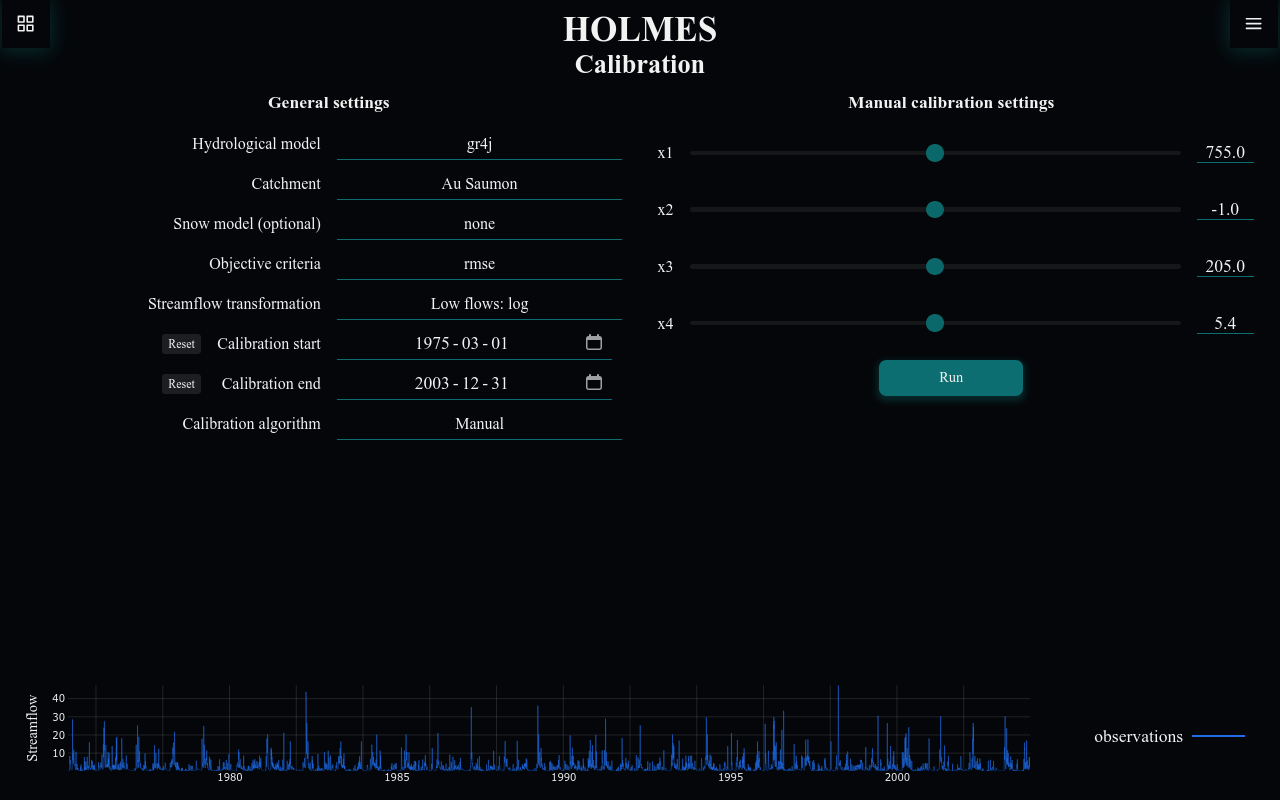
General Settings
The left panel contains configuration options that apply to both manual and automatic calibration.
Hydrological Model
Select the rainfall-runoff model to calibrate:
| Model | Parameters |
|---|---|
| gr4j | 4 |
| bucket | 6 |
See Concepts: Models for detailed model descriptions.
Catchment
Select the catchment dataset. Each catchment includes:
- Daily precipitation
- Potential evapotranspiration (PET)
- Observed streamflow
- Optionally: temperature (for snow modeling)
The available date range updates based on the selected catchment.
Snow Model
Enable snow accumulation and melt modeling for catchments with significant snowfall:
| Option | Description |
|---|---|
| none | No snow model (default) |
| cemaneige | CemaNeige degree-day model |
Availability
The snow model option is only enabled for catchments that include temperature data. Catchments without temperature data will show this option as disabled.
Objective Criteria
Choose the metric used to evaluate model performance:
| Metric | Optimal | Description |
|---|---|---|
| nse | 1 | Nash-Sutcliffe Efficiency |
| kge | 1 | Kling-Gupta Efficiency |
| rmse | 0 | Root Mean Square Error |
Streamflow Transformation
Apply a transformation to the streamflow before computing the objective:
| Transformation | Effect |
|---|---|
| High flows: none | No transformation - calibrates to match peak flows |
| Medium flows: sqrt | Square root - balanced emphasis on all flows |
| Low flows: log | Logarithmic - emphasizes base flow accuracy |
Choosing a Transformation
- Use none if flood prediction is your primary goal
- Use sqrt for general-purpose calibration
- Use log if accurate low-flow simulation is critical (e.g., drought studies)
Calibration Period
Set the start and end dates for calibration:
- Dates are constrained to the catchment's data availability
- Click Reset to restore the full available range
- A warm-up period is automatically included before the start date
Warm-up Period
The warm-up period (3 years, or up to the minimum available data) allows model stores to reach realistic levels before the calibration period begins. This period is shown as a shaded area on the chart.
Calibration Algorithm
Choose between manual and automatic calibration:
| Algorithm | Use Case |
|---|---|
| Manual | Learning, exploring parameter sensitivity |
| Automatic - SCE | Finding optimal parameters efficiently |
Manual Calibration
Manual calibration lets you adjust parameters directly and see immediate results.
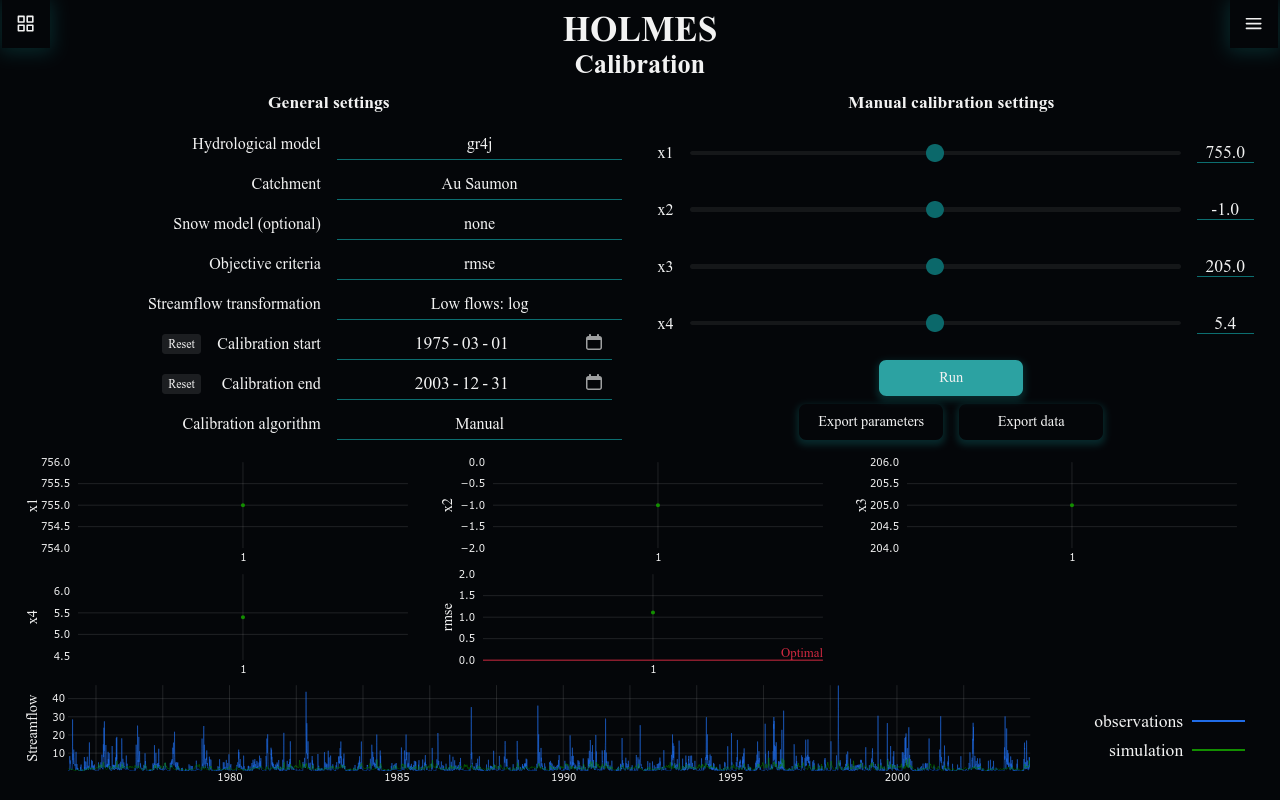
Manual calibration settings
When Manual is selected, parameter sliders appear:
For GR4J:
| Parameter | Description |
|---|---|
| x1 | Production store capacity (mm) |
| x2 | Groundwater exchange (mm/day) |
| x3 | Routing store capacity (mm) |
| x4 | Unit hydrograph time base (days) |
For Bucket:
| Parameter | Description |
|---|---|
| c_soil | Soil storage capacity (mm) |
| alpha | Split factor for slow/fast routing |
| k_r | Slow reservoir recession coefficient |
| delta | Routing delay (days) |
| beta | Precipitation split factor |
| k_t | Fast reservoir recession coefficient |
Running a Manual Calibration
- Adjust parameter sliders to your desired values
- Click Run to execute the simulation
- Observe the streamflow chart and objective value
- Iterate: adjust parameters and run again
Parameter Exploration
Try adjusting one parameter at a time to understand its effect on model behavior. This builds intuition about how the model works.
Automatic Calibration
Automatic calibration uses optimization algorithms to find parameters that maximize (or minimize) the objective function.
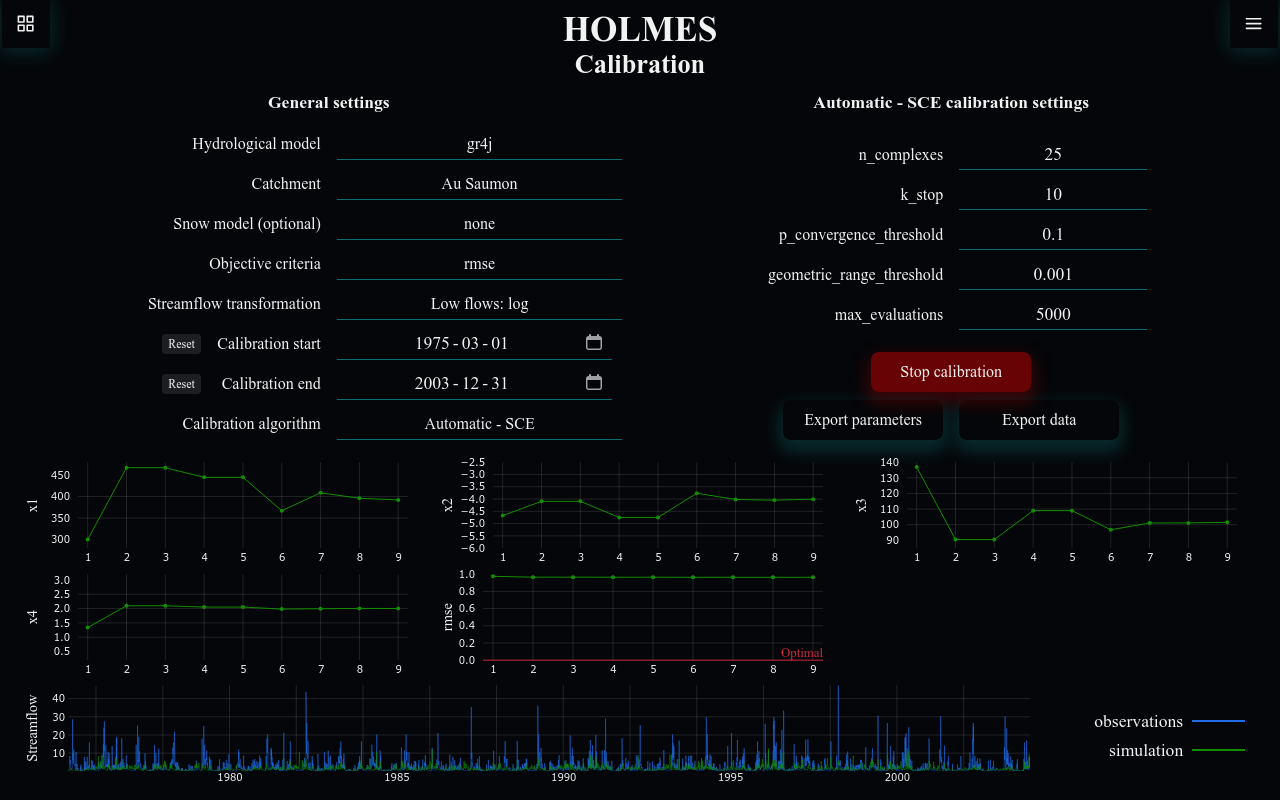
Automatic - SCE calibration settings
When Automatic - SCE is selected, algorithm parameters appear:
| Parameter | Description |
|---|---|
| n_complexes | Number of complexes |
| max_evaluations | Maximum function evaluations |
| k_stop | Iterations to check for convergence |
| p_convergence_threshold | Relative change threshold |
| geometric_range_threshold | Parameter space convergence |
The Shuffled Complex Evolution (SCE-UA) algorithm is a global optimization method well-suited for hydrological model calibration.
Running an Automatic Calibration
- Configure general settings and algorithm parameters
- Click Start calibration
- Watch the real-time updates:
- Parameter values converging
- Objective function improving
- Simulated streamflow matching observations
- Click Stop calibration to halt early, or wait for completion
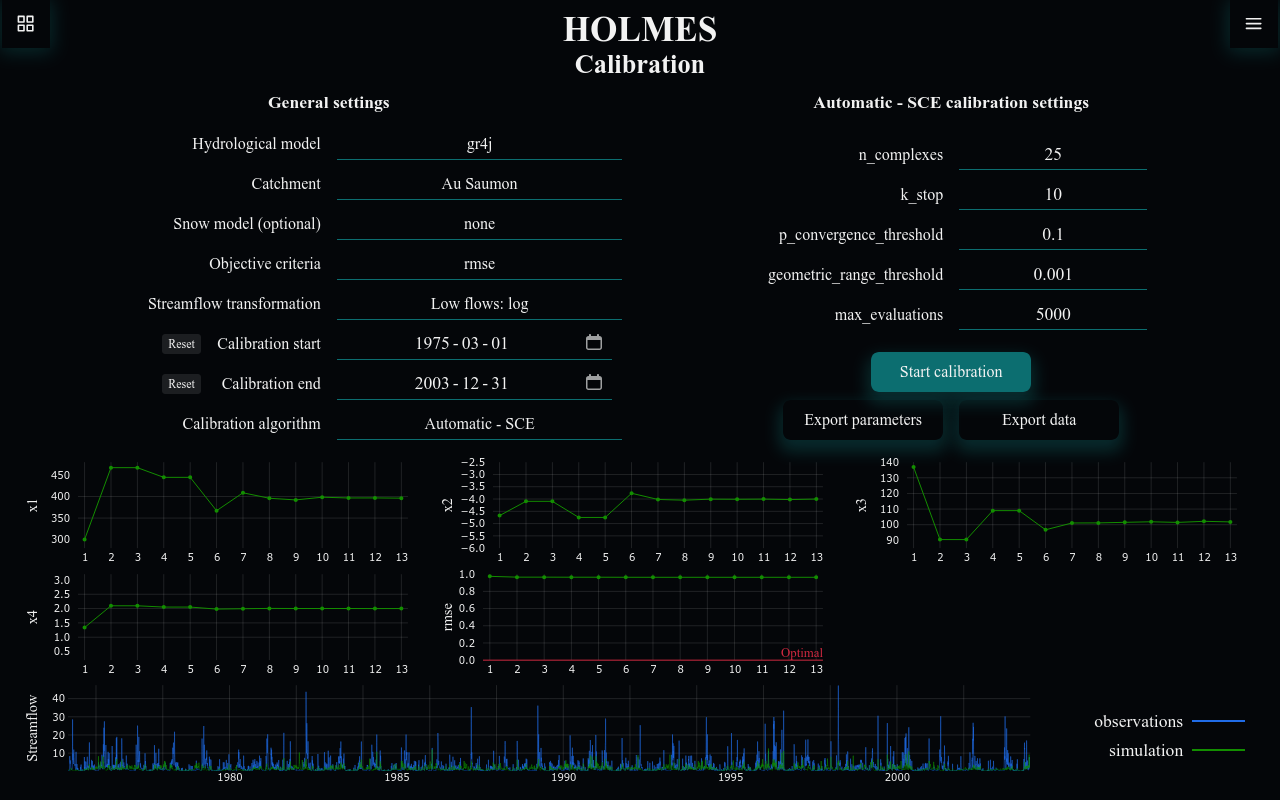
Understanding the Results
During and after calibration, the results panel shows:
Parameter Evolution Charts (one per parameter)
- X-axis: Iteration number
- Y-axis: Parameter value
- Shows how each parameter converges toward optimal
Objective Function Chart
- X-axis: Iteration number
- Y-axis: Objective value (NSE, KGE, or RMSE)
- A horizontal line shows the optimal value (1 for NSE/KGE, 0 for RMSE)
Streamflow Chart
- Blue line: Observed streamflow
- Green line: Simulated streamflow (updates with each iteration)
- Blue shaded area: Warm-up period (excluded from metrics)
Exporting Results
After calibration, export your results using the buttons below the settings:
Export parameters
Saves the calibrated parameters as a JSON file:
{
  "hydroModel": "gr4j",
  "catchment": "Example Catchment",
  "snowModel": null,
  "objective": "nse",
  "transformation": "sqrt",
  "start": "1990-01-01",
  "end": "2000-12-31",
  "hydroParams": {
    "x1": 350.5,
    "x2": 0.12,
    "x3": 95.3,
    "x4": 1.85
  }
}
This file can be imported into the Simulation or Projection pages.
Export data
Saves two files:
- Calibration results (JSON): Complete parameter evolution and objective values
- Timeseries data (CSV): Date, observed streamflow, simulated streamflow
Common Issues
Poor Calibration Results
If the objective value is far from optimal:
- Check that the correct catchment data is loaded
- Try a different transformation
- Verify the calibration period includes representative conditions
- Consider if the selected model is appropriate for this catchment
Calibration Not Converging
If automatic calibration doesn't improve:
- Increase max_evaluations
- Try different initial conditions (run multiple times)
- Consider if the objective function is appropriate
Missing Snow Model Option
The snow model is only available for catchments with temperature data. Ensure your catchment includes temperature observations.